Mastering the Timeline: How to Use Gesture Markers
One of the things that separates okay AI videos from great ones is gesture timing. When an avatar nods at exactly the right moment, or emphasizes a key point with a hand movement, it feels natural and engaging.
Get it wrong, and the whole thing feels robotic.
AdWarrior's multi-track timeline gives you frame-level control over these micro-moments. Here's how to use it effectively.
Understanding the Timeline
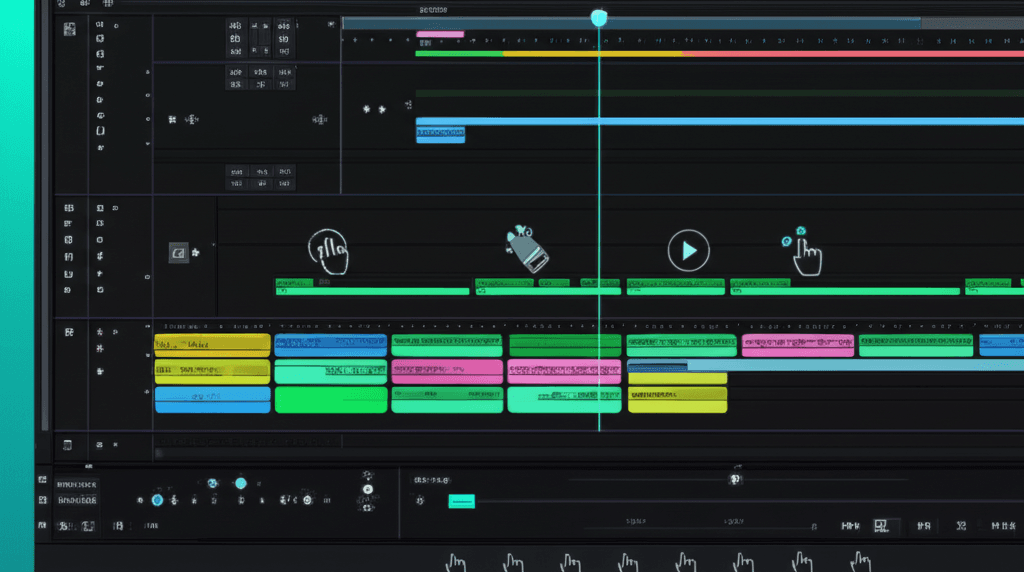
The timeline has four tracks, and they all work together:
- Video Track - Your visual content
- Audio Track - Voice and background music
- Gesture Track - Avatar movements and expressions
- Caption Track - Text overlays and captions
Think of it like conducting an orchestra. Each track is an instrument, and your job is to make them play in harmony.
The Five Core Gestures
Each gesture has a specific purpose. Use them intentionally, not randomly.
Nod
What it conveys: Agreement, emphasis, acknowledgment When to use: At the end of statements, when confirming a point Duration: 0.5-1 second Example placement: "This is the best product I've ever tried." [Nod]
Point
What it conveys: Direction, focus, calling attention When to use: When highlighting features, directing focus to something Duration: 1-2 seconds Example placement: "See this button right here?" [Point] "That's where the magic happens."
Smile
What it conveys: Warmth, positivity, connection When to use: Delivering good news, creating rapport, positive moments Duration: 2-4 seconds Example placement: "And honestly? It completely changed my morning routine." [Smile]
Shrug
What it conveys: Casualness, relatability, humility When to use: Being conversational, expressing uncertainty, keeping it real Duration: 1 second Example placement: "I didn't expect it to work, honestly." [Shrug]
Think
What it conveys: Contemplation, thoughtfulness When to use: Pausing for effect, considering something, before reveals Duration: 1-3 seconds Example placement: "But then I realized something..." [Think] "Nobody else was doing it this way."
The Golden Rules of Gesture Timing
Less Is More
This is the biggest mistake I see. People add gestures to every sentence, and it looks frantic.
For a 30-second video:
- 3-5 gestures maximum
- Space them at least 5 seconds apart
- Let some moments be completely still
Stillness creates contrast. It makes your gestures more impactful when they do appear.
Start Slightly Early
This is counterintuitive, but it works: start gestures 0.1-0.2 seconds before the word they emphasize.
Why? Because in real speech, our bodies actually move slightly before our words. The gesture anticipates the speech. It's a tiny detail, but it makes a huge difference in perceived authenticity.
Match Energy to Content
High-energy scripts (product reveals, exciting news) can support more gestures. Serious topics (testimonials about overcoming challenges) need fewer, more subtle movements.
Don't mismatch -a smile during a serious moment feels wrong, even if viewers can't articulate why.
Advanced Techniques
Gesture Sequences
You can chain gestures for complex emotional beats:
The Reveal Sequence:
- Think (pause, building anticipation)
- Point (directing attention)
- Nod (confirming the importance)
The Friendly Recommendation:
- Shrug ("I was skeptical too")
- Smile (pivot to positive)
- Nod (confirmation)
Emotional Arc Mapping
Map your gesture intensity to your script's emotional journey:
- Opening: Neutral or subtle smile (welcoming)
- Problem section: Think, maybe slight concern
- Solution reveal: Point, growing energy
- Close: Nod and smile (confidence and warmth)
This creates a satisfying emotional arc that mirrors good storytelling.
Platform-Specific Optimization
Different platforms have different energy expectations:
TikTok/Reels: More dynamic gestures, faster pacing YouTube: Moderate, purposeful gestures LinkedIn: Minimal, professional gestures
Adjust your gesture density accordingly.
Common Mistakes to Avoid
Gesture Spam
Adding too many gestures makes content feel robotic, paradoxically. It looks like someone programmed movement, not natural behavior.
Mismatched Timing
Gestures that don't align with speech rhythm feel off. Watch your video with fresh eyes -if something feels wrong, it probably is.
Repetitive Patterns
Using the same gesture repeatedly creates a predictable pattern. Vary your gestures and spacing.
Ignoring Context
A big smile during a serious testimonial undermines credibility. Match gesture tone to content tone.
Integration With Humanize Settings
Gestures work in combination with the Humanize slider. Higher humanize settings add:
- Slight variations in gesture timing
- Micro-movements between major gestures
- Natural-feeling transitions
If you're at 80% humanize, your placed gestures will feel more organic than at 20%. The system adds subtle variation around your markers.
Practice Exercise
Here's how to train your gesture timing:
- Take a 30-second script
- Mark 3-4 key emotional moments
- Choose appropriate gestures for each
- Time them to start 0.1s before the word
- Generate and review
- Adjust timing by 0.5s increments
- Repeat until it feels natural
With practice, you'll develop an instinct for gesture placement. It becomes intuitive.
The Bottom Line
Great gesture timing is invisible. When it's right, viewers don't notice it -they just feel more engaged and connected to the content.
When it's wrong, everything feels off.
Take the time to master this. Combined with strong script writing and appropriate humanize settings, precise gesture timing is what separates amateur AI video from professional-quality content.
Tags
Share this article

Team AdWarrior
The AdWarrior team is passionate about helping creators and brands leverage AI for authentic video storytelling.